Globals and project settings
All projects require a settings section so we can configure our header, footer, SEO scripts, etc.
This project also needed a globals section for texts, because we needed a place for texts that are not being introduced via the CMS to be translated and available in all languages.
A detailed list of what is available in all of these can be found in our Notion docs, we will cover the more relevant to development here.
Settings
Section titled “Settings”Here we can set up our head and body scripts. This is where our GTM scripts come into play, and in this case, Qualified is also introduced here.
These are later injected in our Astro Layout.
Topic and form creators
Section titled “Topic and form creators”These sections were made so James could have the power to determine which users are able to see and edit important sections of the site such as topics and forms.
We use the emails from these repeaters to hide these from the sidebar in our sidebar-structure/index.js
const userEmail = context.currentUser.email
  const allowedFormCreators = await client.fetch(    '*[_type == "form_creators"][0].form_creators[].text',  )  const lowercaseFormEmails = []  allowedFormCreators.forEach((email) => {    lowercaseFormEmails.push(email.toLowerCase())  })  const isAllowedToCreateForms = lowercaseFormEmails.includes(userEmail.toLowerCase())
  const allowedEmails = await client.fetch('*[_type == "topic_creators"][0].topic_creators[].text')  const lowercaseEmails = []  allowedEmails.forEach((email) => {    lowercaseEmails.push(email.toLowerCase())  })  const isAllowedToCreateTopics = lowercaseEmails.includes(userEmail.toLowerCase())
  ...
  ...(isAllowedToCreateTopics        ? [            S.listItem()              .title('Topics')              .icon(false)              .child(                S.documentList()                  .id('topics')                  .title('Topics')                  .schemaType('topics')                  .filter('_type == "topics"')                  .apiVersion('2023-08-01'),              ),            S.divider(),          ]        : []),      ...(isAllowedToCreateForms        ? [            S.listItem()              .title('Forms')              .icon(false)              .child(                S.documentList()                  .id('forms')                  .title('Forms')                  .schemaType('forms')                  .filter('_type == "forms"')                  .apiVersion('2023-08-01'),              ),            S.divider(),          ]        : []),
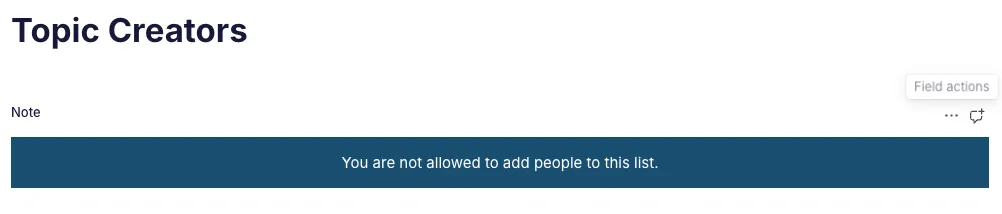
And we have a list of hardcoded users that can see the form and topic creators sections inside schemaTypes/siteSettings/topic_creators.js and .../form_creators.js. If the current user is not in that list, they will instead see a note:
Globals
Section titled “Globals”Since the volume of fields is really high, globals are organized in the backend using groups:
name: 'global_texts',  title: 'Global Texts',  type: 'document',  groups: [    {name: 'customer_testimonials', title: 'Customer Testimonials', default: true},    {name: 'demos', title: 'Demos'},    {name: 'downloads', title: 'Downloads'},    {name: 'environments', title: 'Environments'},    {name: 'featured_case_studies', title: 'Featured Case Studies'},    {name: 'languages', title: 'Languages'},    {name: 'past_events', title: 'Past Events'},    {name: 'professional_services', title: 'Professional Services'},
    {name: 'related_resources', title: 'Related Resources'},    {name: 'related_resources_webinars', title: 'Related Resources Webinars'},    {name: 'search_and_filters', title: 'Search and Filters'},    {name: 'singles_with_author', title: 'Singles with authors / speakers'},    {name: 'singles_with_dates', title: 'Singles with dates'},    {name: 'singles_with_topics', title: 'Singles with topics'},    {name: 'socials', title: 'Socials'},    {name: 'subscrrption_center', title: 'Subscription Center'},
    {name: 'supported_versions', title: 'Supported Versions'},
    {name: 'to_top', title: 'To Top'},  ],  fields: [    ...text({      title: 'Customer Testimonials Slider Card Button',      name: 'customer_testimonials_card_button',      group: 'customer_testimonials',      options: {aiAssist: {exclude: true}},    }),    ...]
The groups appear as tabs and then each field is assigned a group to appear inside.