Common errors and how to fix them
In Sanity
Section titled “In Sanity”You create a field in a file with groups and the field does not appear in the page
Section titled “You create a field in a file with groups and the field does not appear in the page”This happens because the field needs to be assigned to a group to appear.
For instance, in this file:
export default { name: 'global_singles', title: 'Global Singles', type: 'document', groups: [ {name: 'blog_single', title: 'Article Single', default: true}, {name: 'research_single', title: 'Research Single'}, {name: 'publications_single', title: 'Publications Single'}, {name: 'news_single', title: 'News Single'}, {name: 'guides_single', title: 'Guides Single'}, {name: 'webinars_single', title: 'Webinars Single'}, {name: 'customer_stories_single', title: 'Customer Stories Single'}, {name: 'events_single', title: 'Events Single'}, {name: 'cybersecurity_glossary_singles', title: 'Cybersecurity Glossary Singles'}, ], fields: [ ...title({ title: 'Blogs Sidebar Title: Keywords', name: 'blog_sidebar_title_keywords', rows: 1, group: 'blog_single', options: {aiAssist: {exclude: true}}, }), ...title({ title: 'Blogs Sidebar Title: Anchors', name: 'blog_sidebar_title_anchors', rows: 1, group: 'blog_single', options: {aiAssist: {exclude: true}}, }), ...title({ title: 'Article Related Resources', name: 'blog_related_resources', rows: 1, group: 'blog_single', options: {aiAssist: {exclude: true}}, }), ... ]}If we added a field with no group assigned, it would not fail but it would simply not show up in the page.
Everything breaks after adding a field
Section titled “Everything breaks after adding a field”This usually happens because two fields have the same name, so this:
...boolean({ title: 'Is product demo?', localized: false, }), ...boolean({ title: 'Is product webinar?', localized: false, }),Would fail because if we do not assign a name to the island, it will take its default name, boolean. This would result in an error like this:
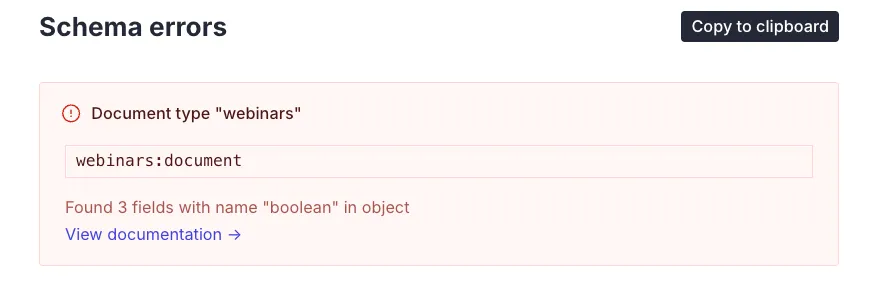
That is fixed by adding a custom name to each island:
...boolean({ name: 'is_product_demo', title: 'Is product demo?', localized: false, }), ...boolean({ name: 'is_product', title: 'Is product webinar?', localized: false, }),You add a module but it does not show up in the module list
Section titled “You add a module but it does not show up in the module list”If you are in a post type like pages, that shows all modules, this usually indicates that you have not added the module to the barrel file that contains all modules and reroutes them to each post type.
If you are in a post type like freeware, that shows only certain modules, and it does not show up there but it does show up in pages, it means you did not add it to the specific post type array:
const getModules = (template) => {  const commonModules = [    ...accordion_image(),    ...    ...timeline()  ]
  const templates = {    landing_pages: [...commonModules],    ...    freeware: [      ...media_text(),      ...cards_bullets_in_a_row(),      ...heading_with_options(),      ...cards_in_a_row(),      ...customer_testimonial_slider(),      ...text_column_of_cards(),      ...small_gradient_cta(),      ...featured_resources(),    ],    ...  }
  return template ? templates[template] : allModules}
People complain that they are not able to publish
Section titled “People complain that they are not able to publish”These can be caused by a couple of things:
They have validation errors
Section titled “They have validation errors”These can be because they did not fill a required field:
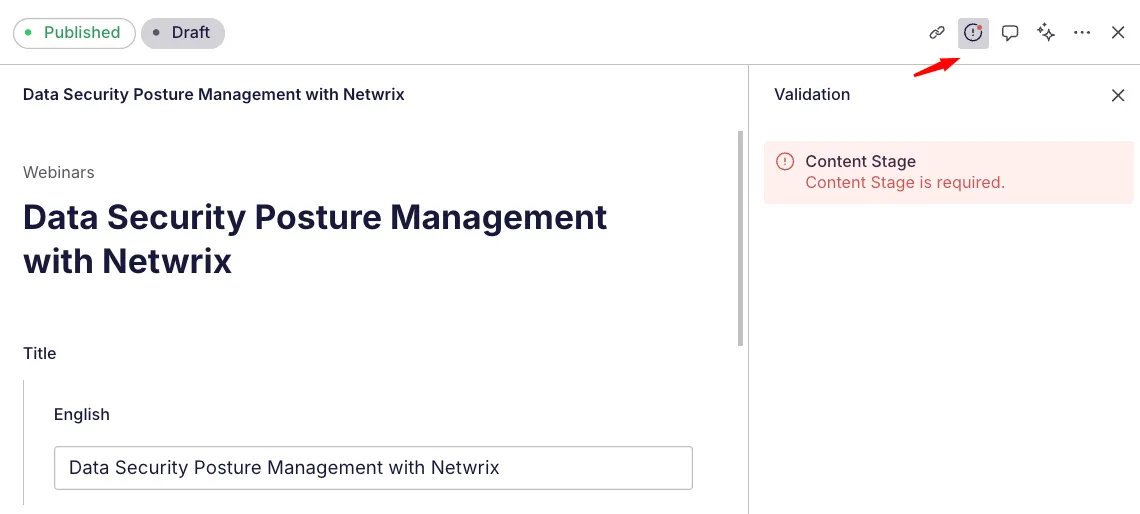
Or because something has changed in the backend and something was previously filled that now does not match the type of the new field.
For instance, if I change an island from being localized by default to the contrary, it might happen that some elements were already present as localized (so, as an object) and now it requires it to be a string, or a boolean, or any type that that island needs. This will cause a validation error because the type present in the data does not match the required type we are asking of it.
We recommend not making drastic changes to any preexisting islands or data fields to avoid these types of issues.
They hit publish too fast too many times
Section titled “They hit publish too fast too many times”Sometimes, when hitting publish more than once, a message like this one will pop up:
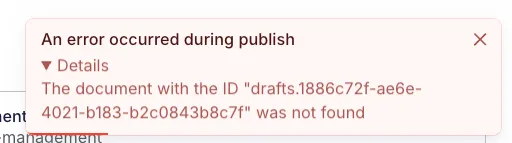
This happens because the draft was eliminated the first time the user hit publish, and the subsequent ones activated the publishing protocol but tried to publish a draft that does not exist anymore.
You make a branch in the frontend project and deploy it but it does not retrieve data from the backend
Section titled “You make a branch in the frontend project and deploy it but it does not retrieve data from the backend”This happens because we need to add any new origins to the list of CORS origins in the Sanity dashboard.
In Astro
Section titled “In Astro”You do a new GROQ query and it breaks the whole site
Section titled “You do a new GROQ query and it breaks the whole site”GROQ is very fiddly with formatting. As we do a very long query, an error in formatting will result in this very unhelpful message:
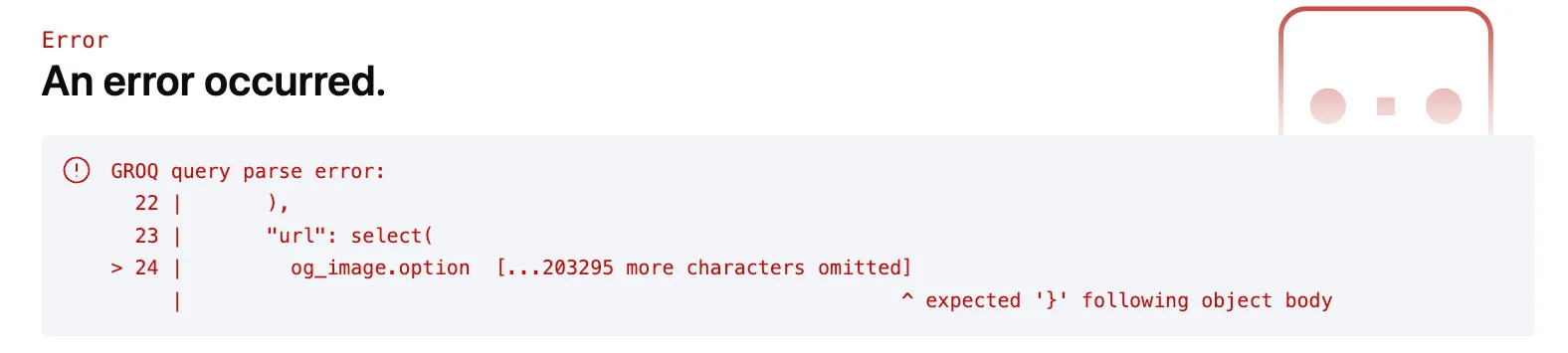
This means there is something in the query that is not right.
We try to work with GROQ in very incremental paces to be aware of what is the last thing we did and what might be breaking.
It usually is one of these two things:
-
A missing comma between elements
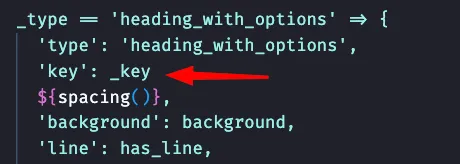
-
A missing opening or closing bracket when invoking a subquery

You add a new element that requires a mapping and it breaks the whole site
Section titled “You add a new element that requires a mapping and it breaks the whole site”We strive to ALWAYS use an undefined guard or a condition when working in Astro with .map or similar methods as well as with .length, as it will break the whole thing if they’re missing:
{ logos && <div class="c--card-e__ft-items__ft__media-wrapper"> { logos.map((logo:any) => { return ( <Asset ... /> ) })} </div>}<div class="c--card-x__item-right"> <p class="c--card-x__item-right__title">{topArticlesText}</p> {articles?.map((article: any) => ( <CardG ... /> ))}</div>You add a new module and it does not show up in the page
Section titled “You add a new module and it does not show up in the page”This can be because of several things.
First, check that you are in the correct page. The structure is complex and many times it has happened to us that we are looking at [lang]/[preSlug]/[slug].astro and we should be looking at [lang]/[preSlug]/[masterSlug]/[slug].astro, for instance.
If that’s not it, then probably the module was not included in one of the two barrel files: either src/service/query/modules/modules.js to add the query to the main query, or src/flexible/modules/Modules.astro to link the query results to an Astro component.
You are trying to receive drafts from a Sanity client but it does not work
Section titled “You are trying to receive drafts from a Sanity client but it does not work”This is usually a sign that you are either:
- Not using the right perspective
- Not using the right token for the client
export const sanityClientPreview = createClient({ projectId: 'r09655ln', dataset: 'production', useCdn: false, apiVersion: 'vX', perspective: 'raw', token: import.meta.env.SANITY_API_READ_TOKEN})This is an example of a correct client able to fetch both published and draft documents from Sanity. It contains the right perspective (raw) and the token that comes from the ENV variables.
The slug is coming correctly from Sanity but your button / link is heading into a 404 page
Section titled “The slug is coming correctly from Sanity but your button / link is heading into a 404 page”This happens because the button is not receiving the language of the page and is building a link like: netwrix.com/resources instead of netwrix.com/en/resources. The language folder is the main folder in the project and this should always be taken into account.
When using the <Btn> component, for instance, remember to always send the language back to it:
<Btn language={language} payload={{ button: { option: "button", "aria-label": "Close banner" }, customClass: "g--banner-01__icon js--banner-btn", customContent: true }}>